
LUMEN TECHNOLOGIES
Lumen Edge Bare Metal | New application navigation design | 2 weeks
Role: UXUI Designer | Visual Designer
UX Team: Senior UX designer, Product Designer
Tools: Figma | Adobe Illustrator | Adobe photoshop
Lumen Technologies
Lumen is a provider of communications, network services, security, cloud solutions, and managed services. The large size global telecom company changed its name from CenturyLink to Lumen Technologies as a part of its effort to refocus its business. In 2020-2022 Lumen’s gaol was to focus more on a platform instead of just a service. That includes creating a platform that lets users link their smart devices, home security, internet and more.
Problem and Solution
-

PROBLEM: The cloud management software, Morpheus which is a third party software was integrated into Lumen’s control center framework to add cloud management servcie to control center’s service offerings. This integration came with couple of user experience challenges, as the user felt bit lost with the new navigation flow.
-

SOLUTION: As a part of the CGI’s UX design team, I worked on Morpheus application navigation design to solve the user onboarding and management issues with logical, step by step process to make the user’s interaction and association with Lumen happier.
My Contribution
My role as a UX/Product Designer was to design user onboarding experience satisfying for Lumen customers. Following a 2 week sprint to reiterate design based on stockholder feedback collected.
Led the Morpheus application navigation design independently on this project to make user onboarding flow seamless.
Placement of the UI elements to meet the requirements.
Mid fidelity prototype of the Lumen Edge Bare Metal landing page navigation.
Stakeholder demo to show the final work
Process
The project duration was 2 weeks, small stories were created on Jira and assigned to designers. The two-week sprint included two working sessions weekly. I used the qualitative research method to gather insights from product manager and senior software developers on their design concerns and issues. Using research we defined the problem and proposed a solution with my mid fidelity design wireframes.
Research
Led the research on the global navigation to uncover the issues and define the problems. Following the UX methodology I conducted stakeholder interviews and discussions. To tackle the design challenges I studied the three user onboarding flows
First one, logging in with EID account.
The second flow entering through Lumen’s control center portal.
The third flow, direct entry to the Edge Bare Metal dashboard with user log in.
Since there were restrictions with time and resources we had to work quickly but efficiently.
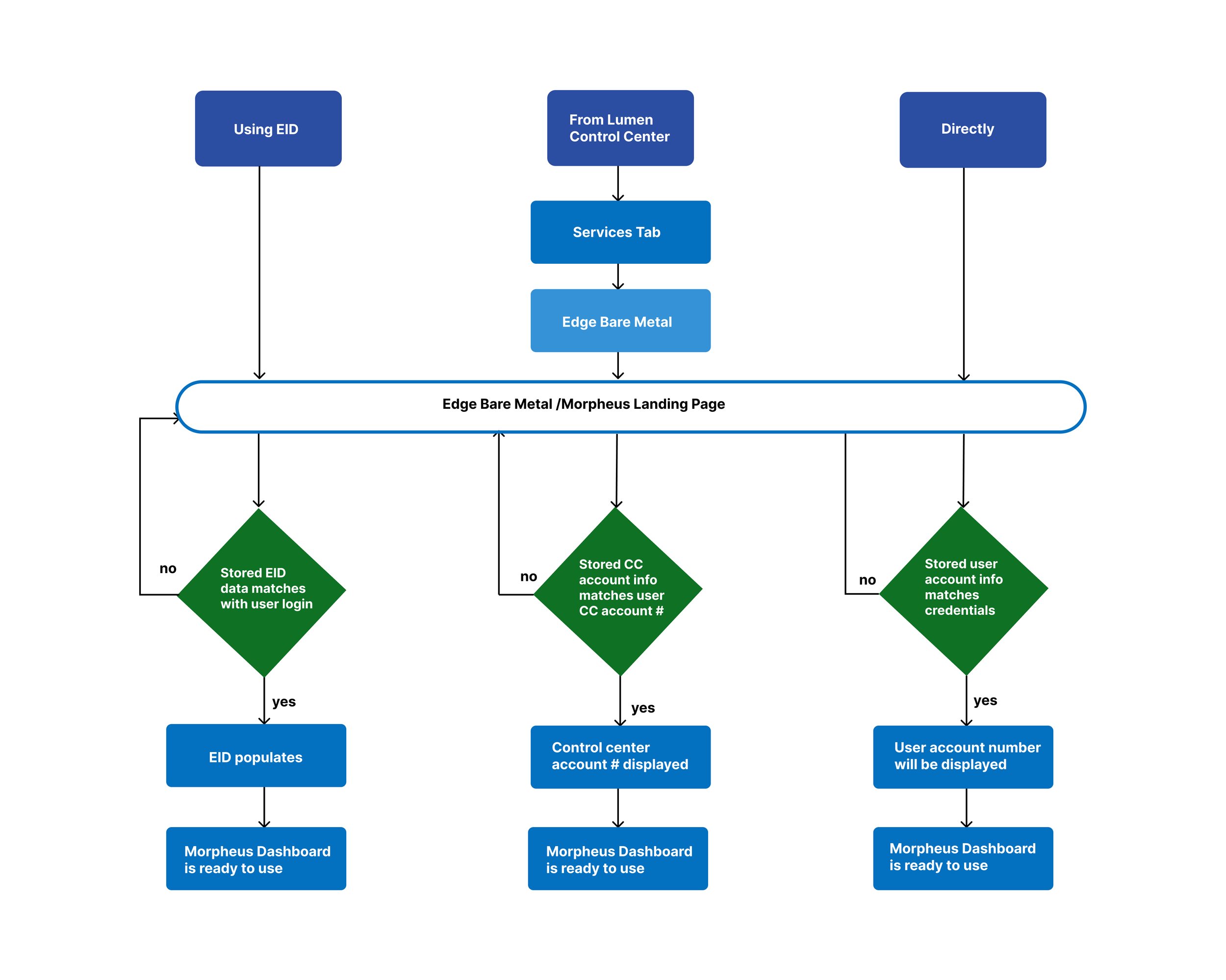
User Flow to handle users entering from three different entry points to Morpheus
Figma Mid Fidelity Wireframes
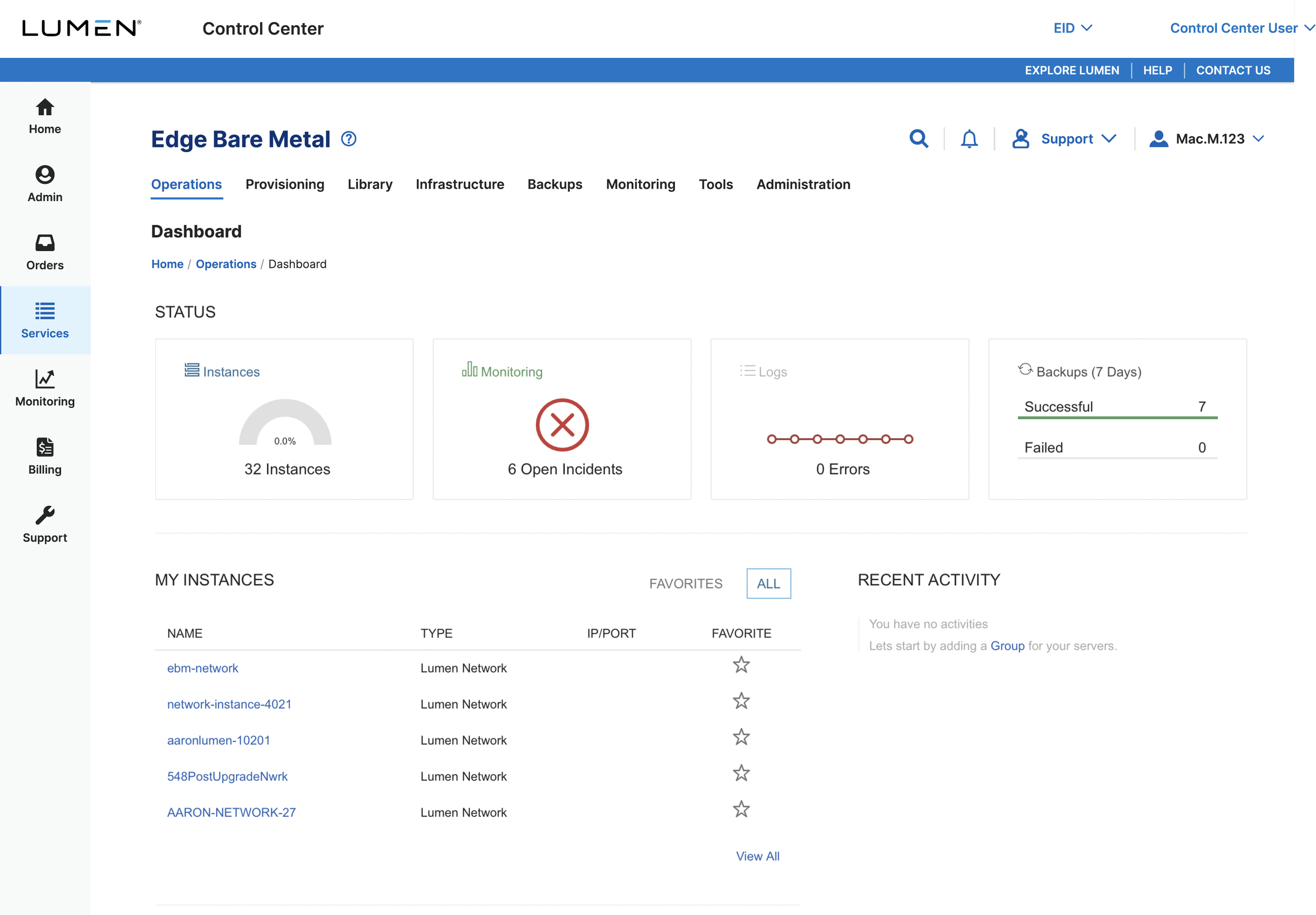
There were three different paths the different user types would use to access the Morpheus account dashboard. The user name and account details stored in the system would be verified before the user is granted access to their dashboard. The challenge was to manage three different user types and their login process along with reducing over crowding of the real estate space by using tabs with small font size to accommodate all ten navigation categories. The main navigation was left align and other options like support, account, search and notification were align right so that user can clearly focus on what they are looking for without getting overwhelmed.
User path 1: User entry from Lumen Control Center to the Edge bare Metal (Morpheus) landing page
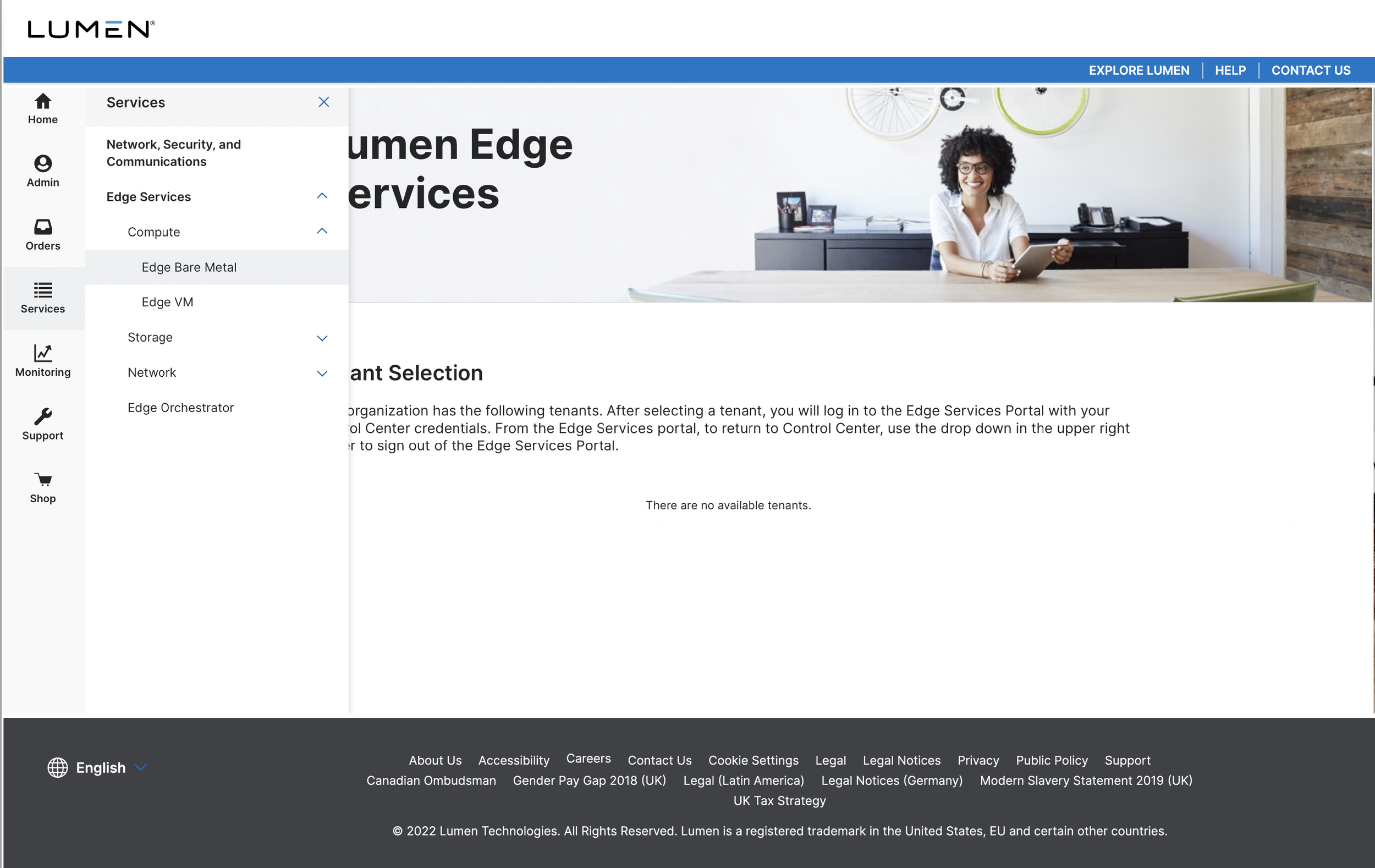
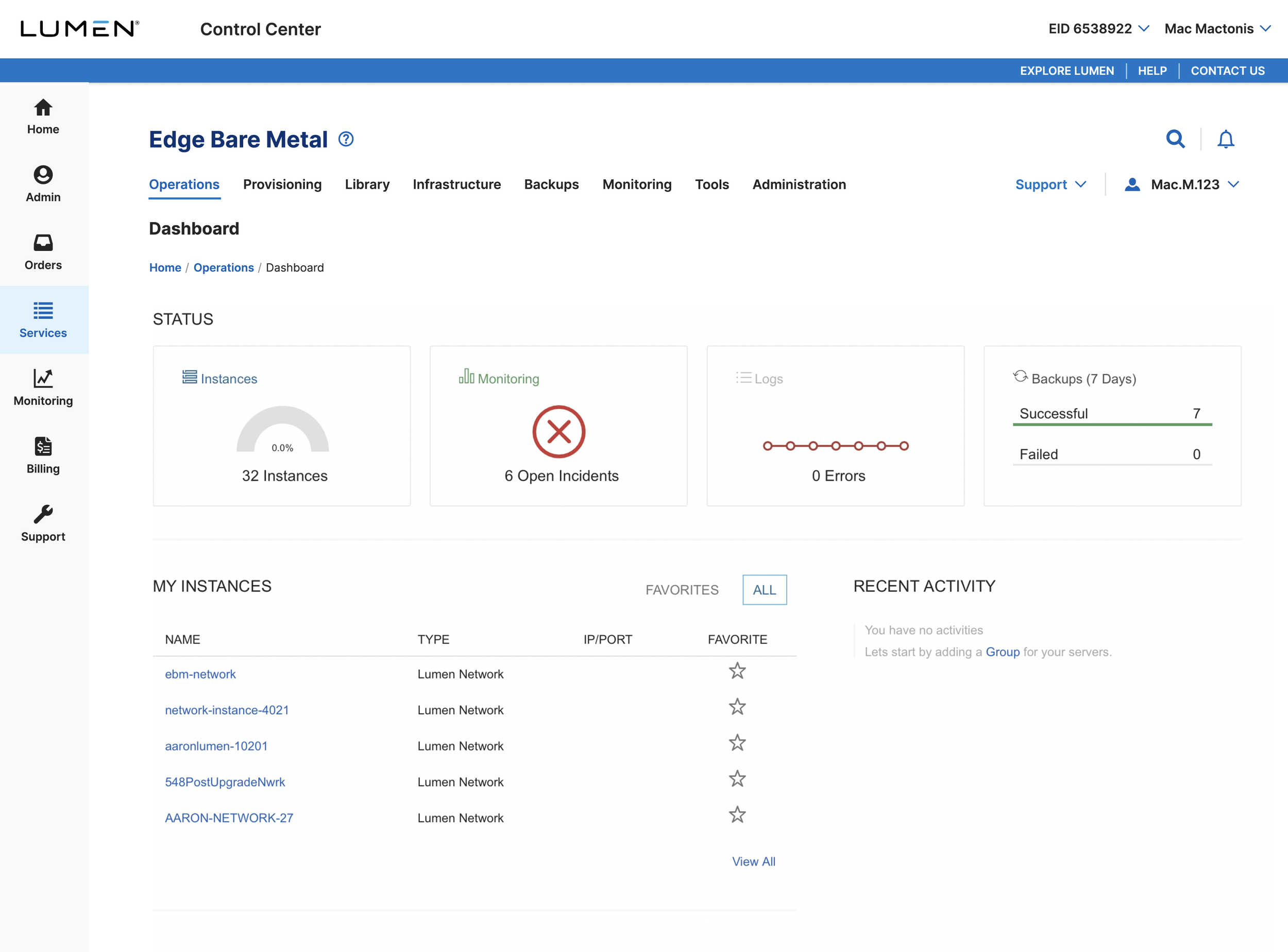
User path 2: Users with EID entering the Edge bare Metal (Morpheus) landing page
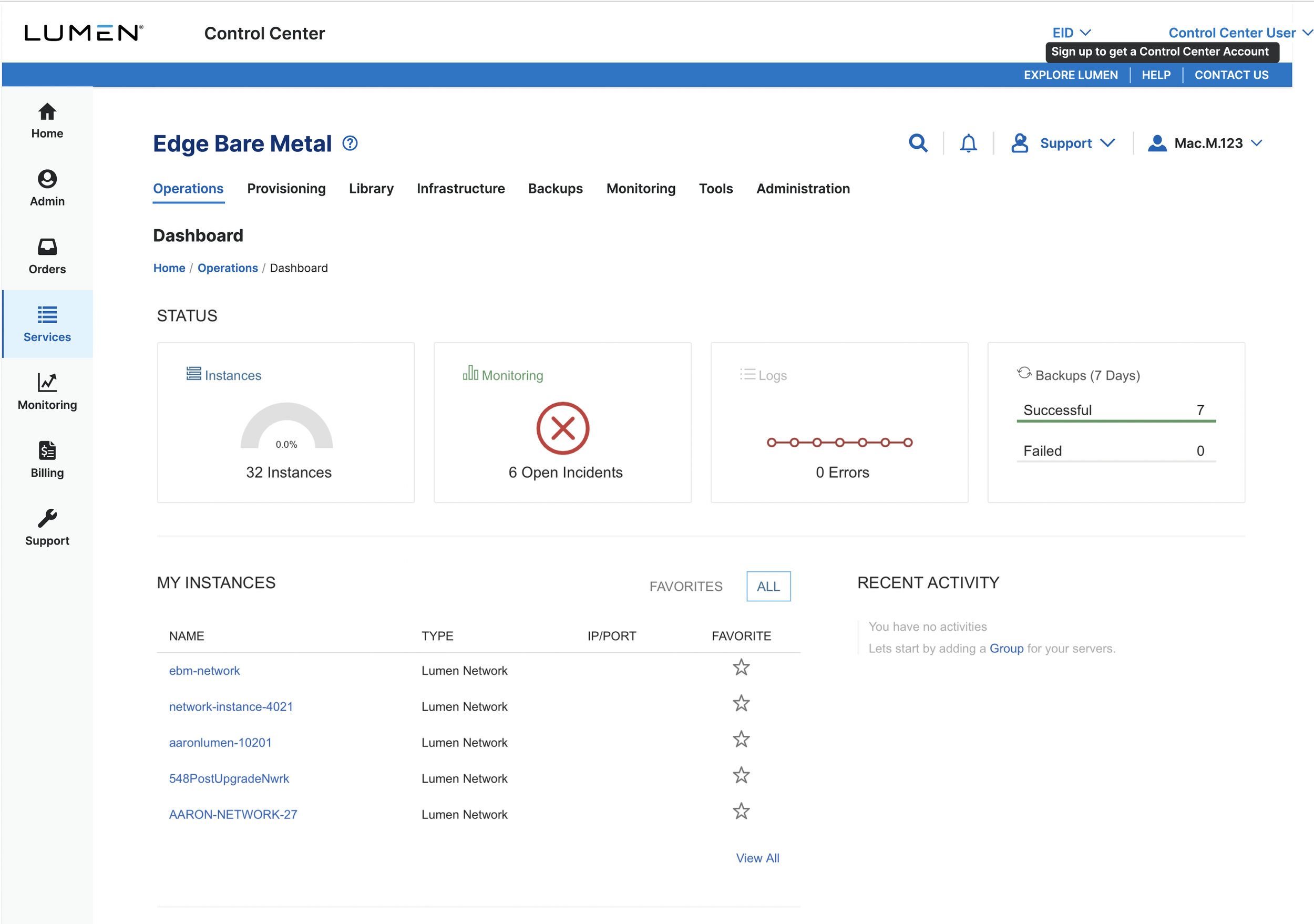
User Path 3: User entering directly to the Edge bare Metal (Morpheus) landing page
Results
Morpheus dashboard navigation interface design
The challenge in Morpheus login user management was to handle three different scenarios that would play to three distinct user categories. Identifying the user with the credentials entered and matching it with the stored account info to give them access to the dashboard. Every time the login fails the user is encouraged to contact support or learn more about how to get a registered account based on their unique situation.
With the clean and user friendly logging process and navigation interface design the user felt accomplished as they feel the system understands them and responds to their wishes. Thus increasing user satisfaction and turning users into loyal customer for the business.
Conclusion
Designing the navigation and user login flow of a new application for Lumen was a great experience. My work was appreciate day the client. It gave a sense of achievement when my proposed design got implemented in the application. This helped Lumen gain users and expand customer based because of the simple and effective UX solution for CX.